
How to Use Google Flights to Find Cheap Flights: My Step-by-Step Guide
The lowest price on the screen isn’t always the cheapest trip. Here’s how I actually search.

On the rare occasion when I run our of credit card points to purchase flights, I alsways start with Google Flights. Whenever I search for flights, I rarely book the first inexpensive option I see.
I’ve learned that the lowest fare on the screen is not always the cheapest trip once baggage fees, seat selection, parking, long layovers, and airport transportation are factored in. A $119 ticket can easily end up costing more than a $175 one once you’ve added a carry-on, a checked bag, and seat selection for four people.
I start almost every flight search with Google Flights — not because it gives me the lowest number, but because it lets me compare dates, airports, airlines, schedules, and total costs all in one place. Here’s the exact process I use.
What Is Google Flights?
Google Flights is a free flight-search and comparison tool. You enter where you want to go, your dates, the number of travelers, and your cabin class, and it pulls results from hundreds of airlines and travel agency partners in real time.
One important thing to understand: Google Flights is usually not the company selling your ticket. When you click through to purchase, you’re directed to an airline or a booking agency. That distinction matters because whoever sells the ticket is who handles changes, cancellations, refunds, and customer service — not Google.
I think of it as a powerful research tool, not a travel agency. It’s available on any browser — no app required.
Why I Start Here Instead of Going Directly to an Airline
- Compare multiple airlines side-by-side in seconds
- See prices across flexible date ranges with a visual calendar
- Find cheaper nearby airports and compare the actual total cost
- Use the Date Grid to spot the cheapest departure/return combinations
- Set price alerts and track fare changes without manually checking every day
- Use the Explore map to discover destinations by budget when you’re flexible
My Step-by-Step Search Process
I follow the same sequence every time. The order matters — starting too narrow means you might miss cheaper options; starting too broad means you waste time filtering through flights you’d never take.
- 1
Search My Ideal Trip First
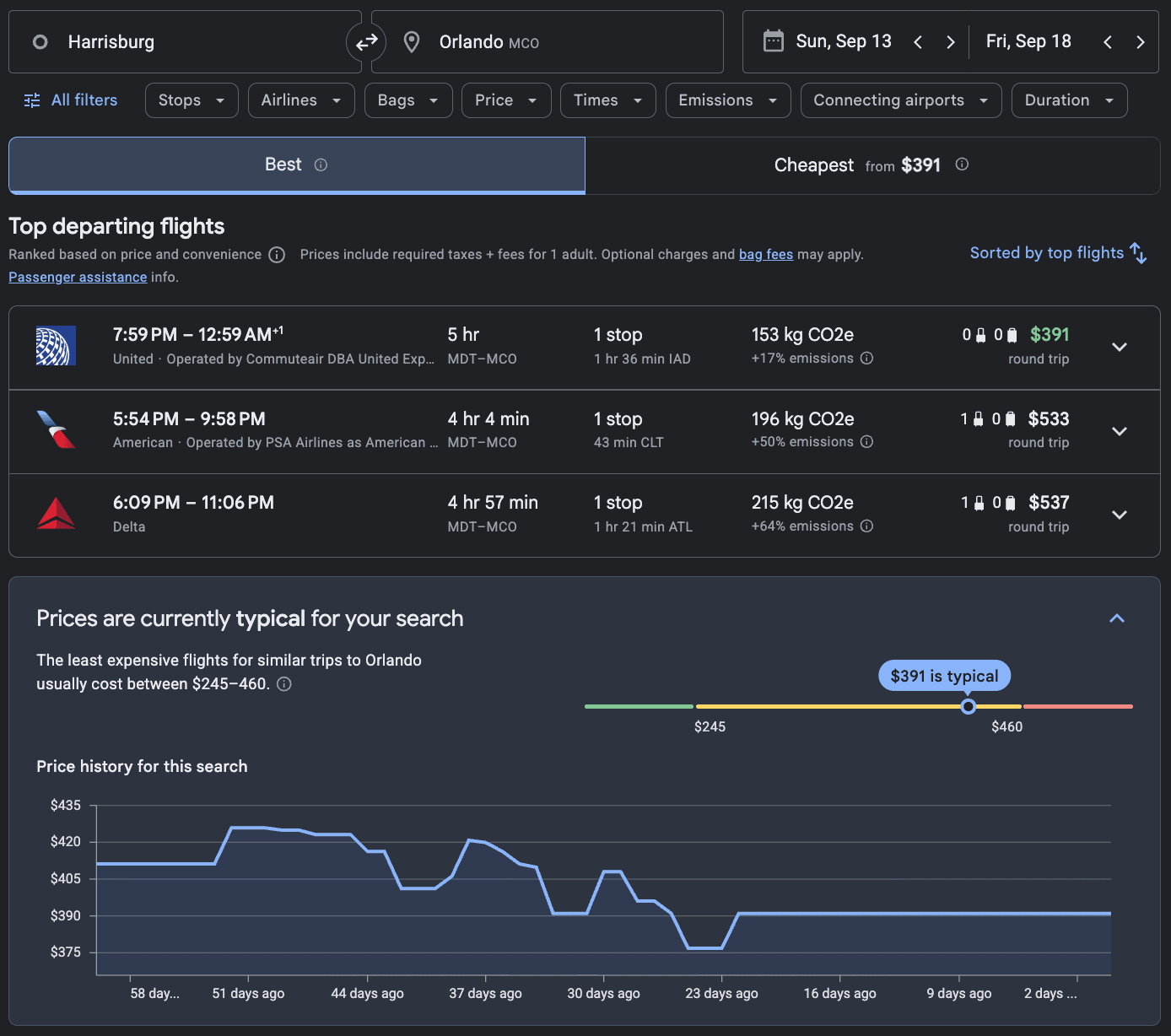
I always begin with the exact dates and airports I’d genuinely prefer. I want to know what my most convenient version of the trip costs before making any compromises. That number becomes my baseline. I also enter the actual number of travelers — a search for one passenger can show a fare that isn’t available when four seats are needed.
- 2
Compare the Best and Cheapest Tabs
The Best results balance price, duration, and convenience. The Cheapest tab focuses on the lowest available fare — but those results may include longer layovers, separate tickets, inconvenient times, or booking through unknown agencies. I check Cheapest to know the floor price, then compare what I’d be giving up to get it.
- 3
Open the Date Calendar and Date Grid
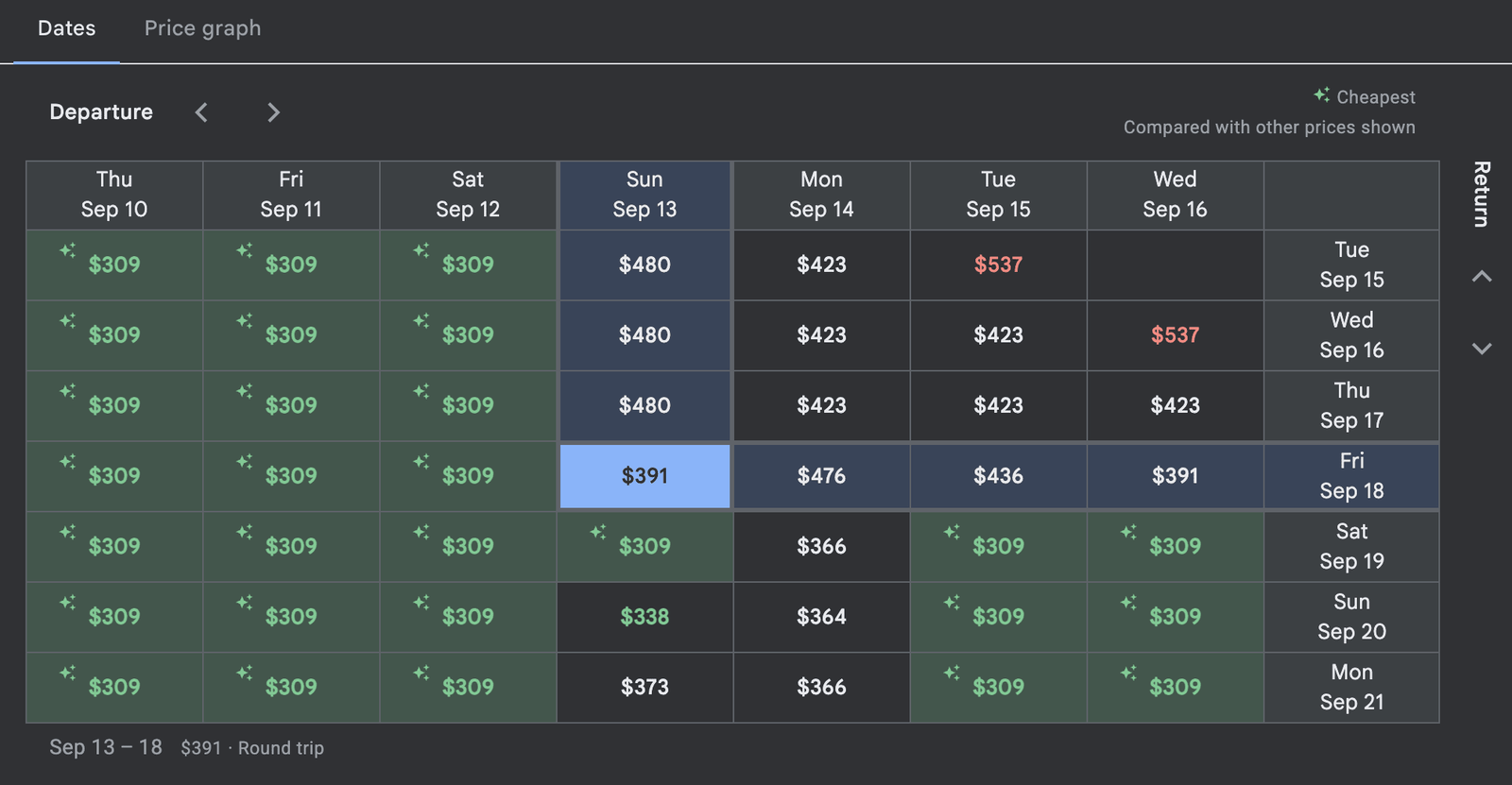
The calendar shows prices color-coded by cost across individual days. The Date Grid lets me compare departure and return combinations in a table — so I can see at a glance whether leaving Thursday instead of Friday, or returning Monday instead of Tuesday, saves money. For a family of four, a $40/person difference means $160 in total savings.
- 4
Check the Price Graph
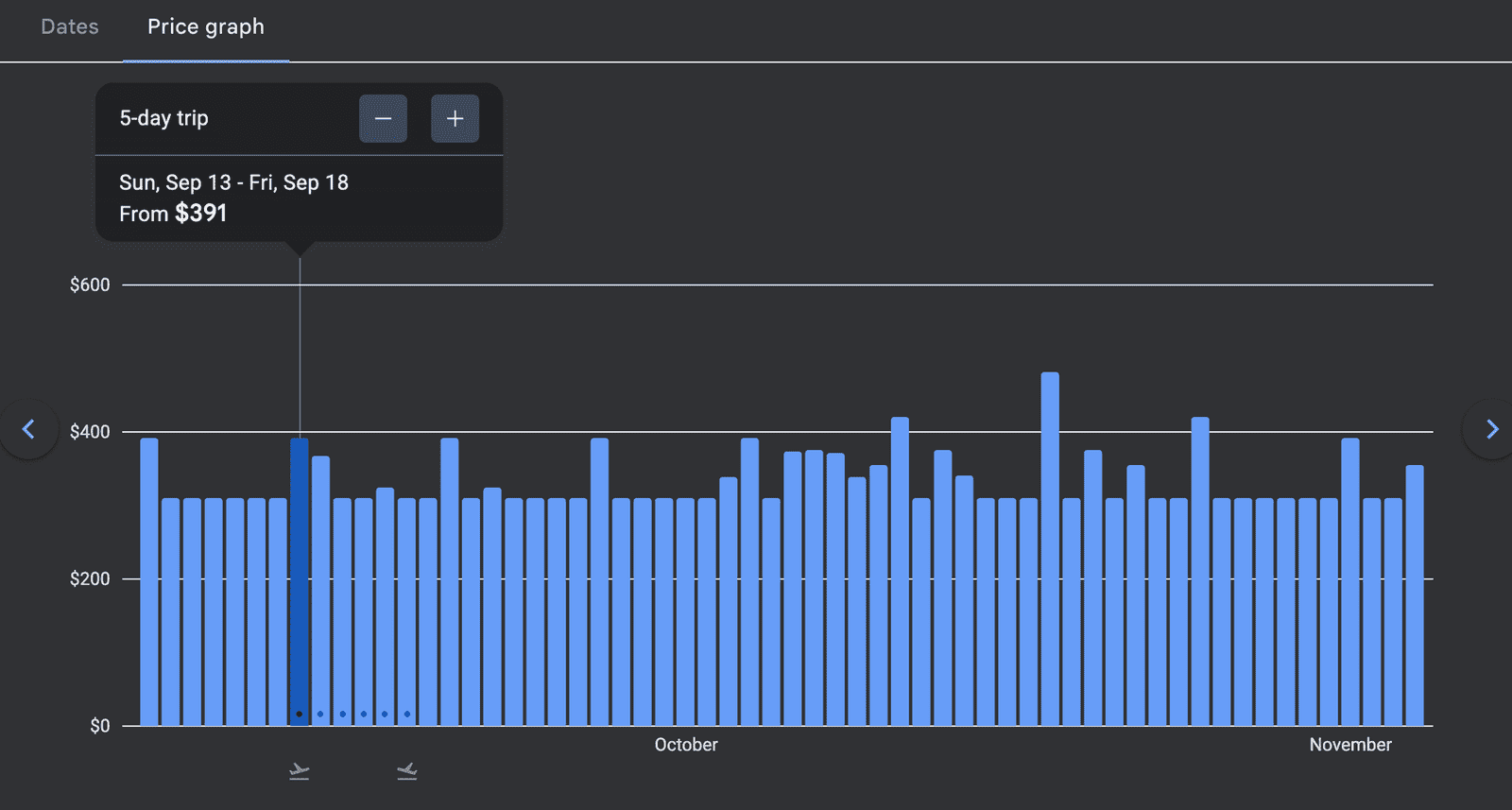
The Price Graph shows how fares change over a wider window of time. I use it when my trip is weeks away, when my preferred dates look unusually expensive, or when I want to compare trips of the same duration at different times. I treat it as a comparison tool, not a forecast — prices can change for any number of reasons.
- 5
Search Nearby Airports — But Calculate the Full Cost
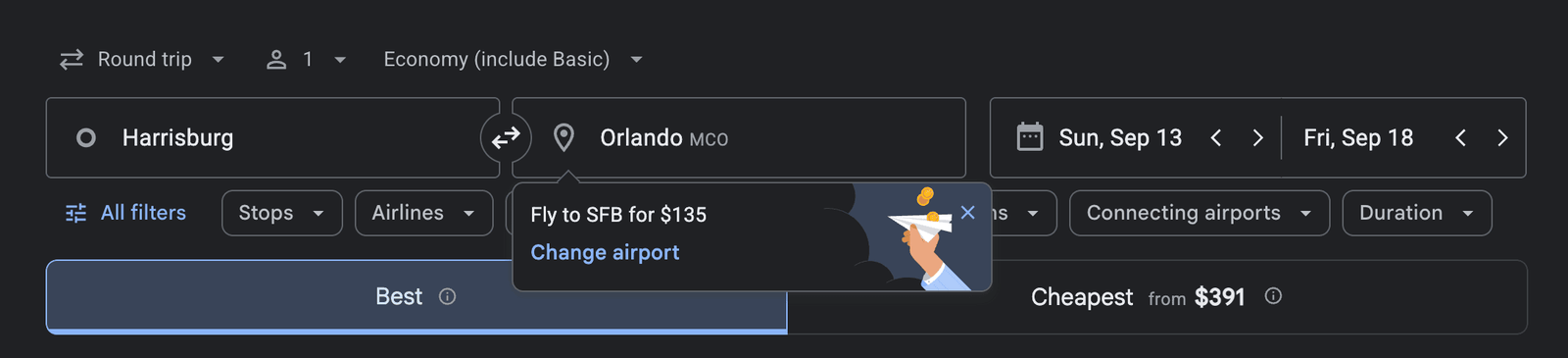
A cheaper flight from a more distant airport isn’t always a saving. Before getting excited, I add up the extra driving, gas, tolls, parking, and any additional hotel if it requires an early departure. A flight $80 cheaper from an airport two hours away can easily cost more once ground transportation is included.
- 6
Filter Out Flights I Wouldn’t Actually Take
Only after seeing the broad market do I apply filters — stops, preferred airlines, departure times, duration. I avoid filtering too early. Understanding the full range of options first helps me make smarter trade-offs rather than accidentally hiding the best value.
- 7
Use the Bags Filter to Compare True Fares
Before comparing airlines, I add the bags I know I’ll actually bring. A $119 fare is not cheaper than a $175 fare if the lower-priced airline charges $125 extra for a carry-on, checked bag, and seat. The Bags filter makes this comparison much faster — though I always verify baggage policies on the airline’s own website before booking.
- 8
Verify Everything on the Final Booking Page
Fares can change between when Google Flights last refreshed and when I go to pay. I don’t consider any price confirmed until I’ve reviewed the final total on the booking page — checking dates, airports, flight numbers, fare class, baggage, and seat costs before entering payment information.
Basic Economy vs. Regular Economy: Read This Before Booking
Two tickets can both say “economy” and include very different things. This is one of the most common ways families end up paying more than they expected.
A basic economy fare may restrict or charge extra for:
- Advance seat selection (meaning your family may not sit together)
- Carry-on bags on some airlines
- Ticket changes or cancellations
- Refunds
- Same-day flight changes
- Loyalty program earnings
The Lowest Airfare Is Not Always the Cheapest Trip
I try to calculate the lowest total trip cost, not just the lowest ticket price. The real cost can include baggage fees, seat selection, airport parking, tolls, gas, extra hotel nights, and additional travel time — all of which add up fast for a family of four.
A Real Example: Lancaster, PA to Orlando
Here’s how three different-looking options actually compare once every cost is included:
| Option | Fare/person | Added fees | Ground costs | Travel time | Family total |
|---|---|---|---|---|---|
| Philadelphia nonstop ✓ | $248 | $140 | $90 | ~4.5 hrs | $1,222 |
| Baltimore nonstop | $208 | $220 | $170 | ~6.5 hrs | $1,222 |
| Newark with connection | $179 | $320 | $240 | ~10 hrs | $1,276 |
| The Newark flight looks cheapest at $179/person but ends up being the most expensive option — and adds nearly 6 hours of travel. | |||||
The Newark flight looks like the obvious winner at first glance. After adding bags, seats, tolls, parking, and the longer drive, it becomes the most expensive option — and requires nearly 6 extra hours of travel. Always calculate the real cost before choosing a farther airport or a more complicated itinerary.
Be Very Careful With Separate Tickets
Some of the cheapest results in Google Flights combine flights booked on separate tickets. This can look attractive on price, but it carries a major risk that’s easy to overlook.
Watch for these phrases in the itinerary details:
- “Separate tickets”
- “Self-transfer”
- “Change of airport”
- “Collect and recheck bags”
- Multiple booking providers listed for different legs
A protected connection — where both flights are on one ticket — means the airline is responsible for rebooking you if a delay causes a missed connection. That protection is worth paying a little more for.
When to Book vs. When to Keep Watching
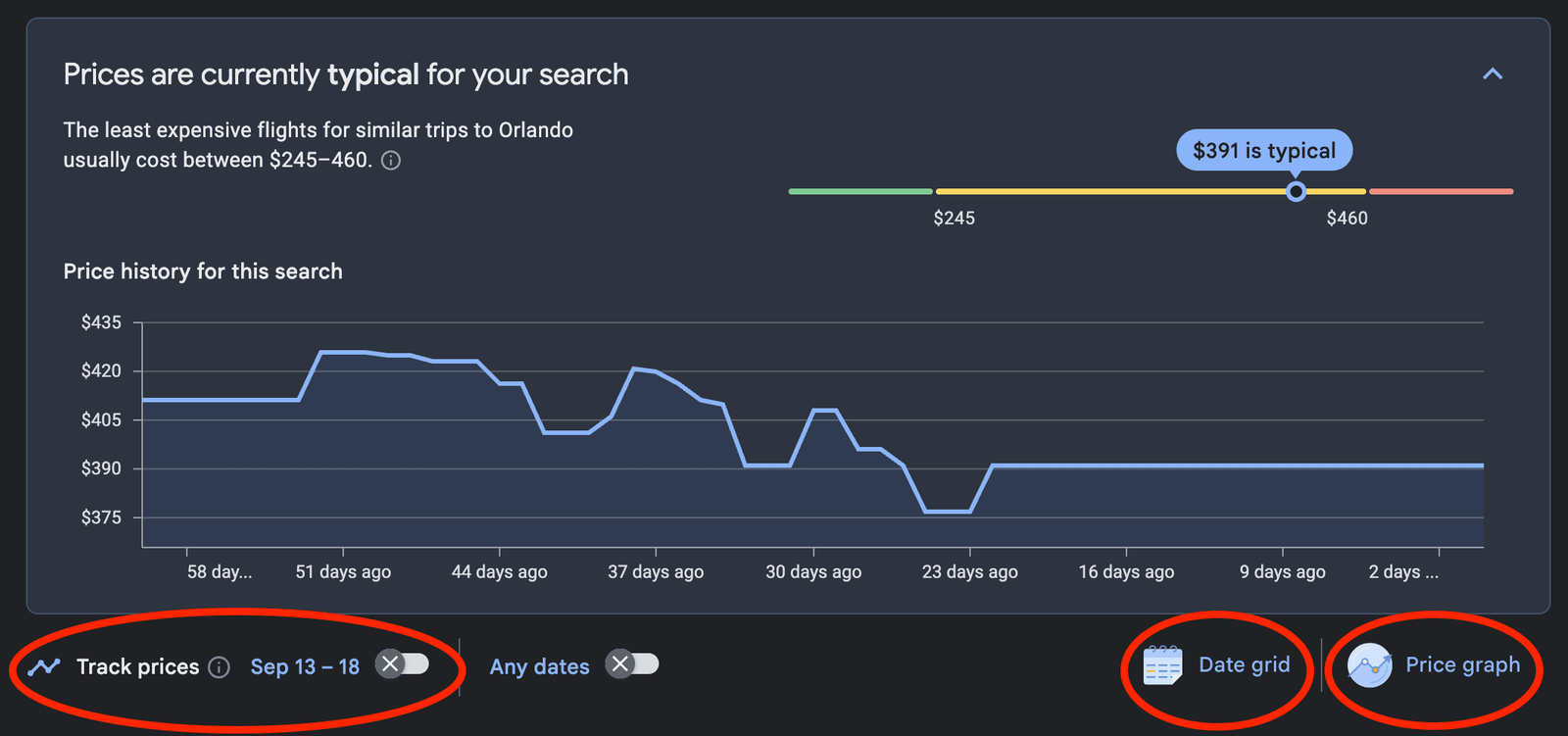
I’ve stopped trying to predict the exact lowest point of an airfare. My goal is to find a price I consider reasonable for a flight that fits my schedule. If the fare is within my budget and the itinerary is good, I’m often comfortable booking rather than gambling on a possible future discount.
✓ Consider Booking When…
- The price is low or typical for the route
- Your travel dates are fixed
- You’re traveling during a holiday or major event
- Only a few good flights remain
- The fare fits your budget
- The schedule is especially convenient
⏳ Consider Watching When…
- Your dates are flexible
- Prices look unusually high right now
- Several good options still exist
- You haven’t checked nearby dates or airports yet
- The trip is still far out
- You could handle losing the current itinerary
A good booking is one that fits your budget, schedule, and risk tolerance — not necessarily the theoretical lowest price.
Common Google Flights Mistakes to Avoid
Always add bags, seats, and your real ground transportation costs before declaring a winner. The cheapest base fare is often the most expensive total trip.
Always open the fare details before paying. A basic economy ticket that prevents seat selection or carries a bag fee can cost your family significantly more than a slightly pricier standard fare.
Airfares don’t always go down. If the itinerary is good and the price fits your budget, a confirmed booking is often worth more than a possible future discount that may never come.
- Applying too many filters too early — search broadly first, understand the market, then remove flights you wouldn’t take
- Using the wrong number of passengers — a fare for one seat may not exist for four; always search with your actual group size
- Accepting a risky self-transfer to save $75 — the second airline may not cover you if the first flight is late
- Booking through an unknown agency for a small saving — consider whether the saving is worth the potential difficulty getting support during a disruption
- Assuming Google Flights shows every option — Southwest doesn’t appear in results; occasionally check the airline’s own site or a regional carrier directly
My Pre-Purchase Checklist
Before I pay for any flight, I run through this list. It takes two minutes and has saved me from several expensive mistakes.